FreeCell Solitaire: Card Games
- 4.6
- Rating
- 10.00M
- Installs
- Free
- Price

 Analysis by App-foxy
I usually turn to FreeCell Solitaire: Card Games when I want something quiet but still mentally active. It is a classic card game from MobilityWare, and its appeal is easy to understand after a few minutes: I move cards, uncover possibilities, receive immediate visual feedback, and either finish a satisfying deal or start again with a better plan. There is no complicated setup, no long tutorial to fight through, and no need to coordinate with other players.
That simplicity is also the reason I would not recommend it to everyone. FreeCell is less about luck than many other solitaire variations, so careless moves can leave a deal in a difficult position. If you prefer fast rewards, dramatic effects, or a constantly changing multiplayer experience, this may feel restrained. If you enjoy working through a puzzle one decision at a time, however, this free card game has a dependable rhythm that makes it easy to return to.
How the first move sets up the whole game
The first action in a FreeCell deal is rarely just a random card tap. I look across the layout, identify which cards are blocking useful sequences, and decide whether moving one card now will create space for a more important move later. That small planning step gives the game a different character from the usual quick solitaire round. I am not simply waiting for the right card to appear; I am trying to make the available cards work together.
You May Also Like

 Pandora - Music & Podcasts
Pandora’s Music Is Easy to Start, but Harder to Recover
Pandora’s strength is its low-effort path from a seed to a station. Its weak spot is how much confidence it asks you to place in connection, setup, and quiet recovery.

 8 Ball Pool
 Is Built on Rivalries, Rematches, and Routine
A close look at the rivalries, rematches, shared routines, and unanswered safety questions that turn a quick pool match into a persistent mobile community.

 Samsung Music
’s Quiet Strength Is Playing What You Already Own
Its reach comes less from spectacle than from dependable access to a personal library. That simplicity is both the app’s strongest retention engine and its ceiling.

 AccuWeather: Weather Radar
AccuWeather Review: A Quick, Clear Forecast for Everyday Decisions
For everyday plans, the best forecast is the one you can understand quickly. AccuWeather makes rain timing, radar, and local conditions easy to act on, with a few trade-offs.

 Hill Climb Racing
Why Hill Climb Racing Still Turns Crashes Into One More Run
A tiny car, a bumpy hill and one more upgrade: Hill Climb Racing keeps resurfacing because its simple chaos makes every near-miss feel personal.

 AliExpress - Shopping App
AliExpress Makes Global Shopping Feel Personal, but Shoppers Bear the Risk
AliExpress turns a global marketplace into a pocket-sized discovery engine. Its reach is useful, its shopping loop compelling, and its trade-offs easy to miss.
More From Our News Desk
View All News


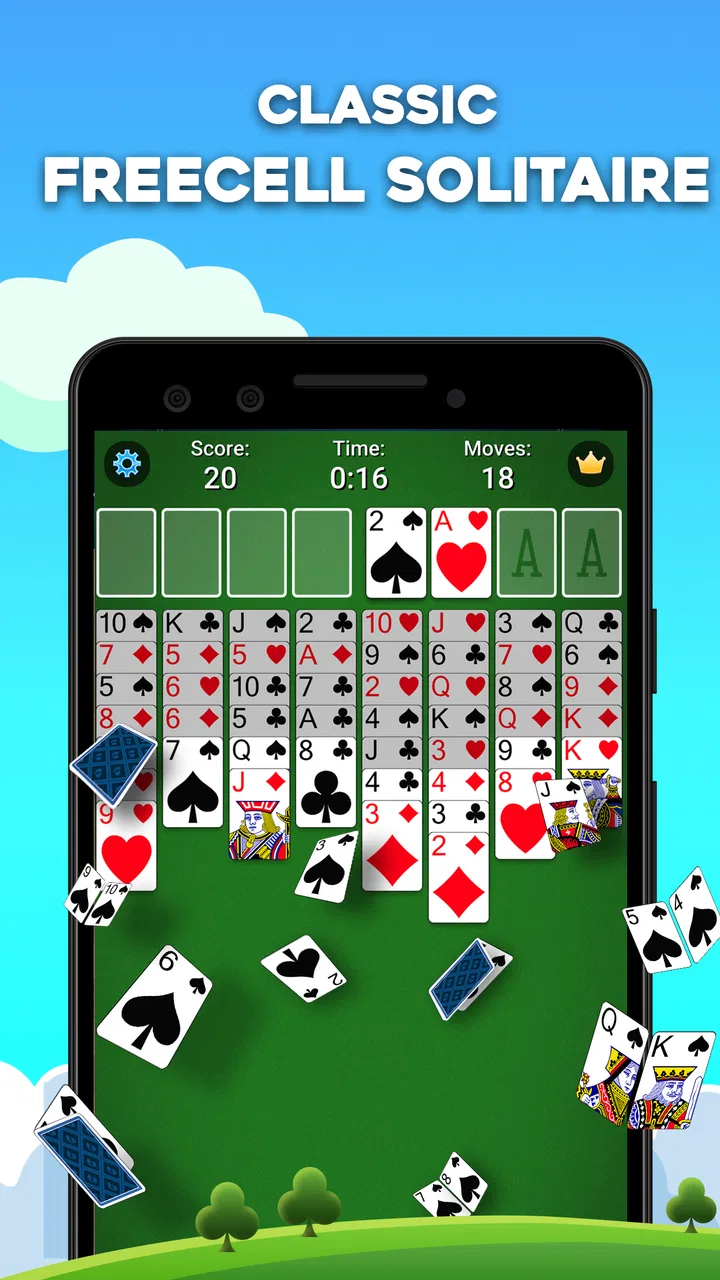
The four free cells are central to that decision-making. They act as temporary holding places, but using them too early can reduce my flexibility. A move that looks helpful because it exposes a card may also occupy a cell that I need later to shift a longer sequence. I have learned to treat open cells as working room rather than permanent storage. That is one of the most useful habits for anyone coming from Klondike or another more luck-driven solitaire game.
Moving cards produces clear, immediate feedback. A successful placement changes the layout, reveals a new option, or opens a column. When a move does not help, the board makes that clear too: I may have fewer places to work with, or a key card may remain buried behind an awkward arrangement. This direct relationship between action and consequence is what makes the game feel like a puzzle instead of background entertainment.
The interface is best appreciated when I stop trying to play at maximum speed. I can scan the tableau, consider several legal moves, and use the next action to test a plan. That slower pace suits short breaks, but it also supports longer sessions when I want to concentrate. The game does not need a fictional theme to hold my attention; the changing card structure provides enough variety by itself.
One practical tip is to think about empty columns before filling them. An empty column is valuable because it can help relocate a sequence and create room for future rearrangement. Filling it with the first convenient card may feel productive, but it can remove the board’s most useful piece of space. I get better results when I ask what the empty column will enable two or three moves from now, not only what it can hold immediately.
The feedback rhythm keeps decisions readable
What I like most during play is the steady feedback loop. I make a move, watch the layout become more open or more constrained, and then choose the next action based on that change. The reward is not always a flashy celebration. Often it is simply seeing a hidden card become available or noticing that a sequence can now be transferred. Those modest moments are enough to make progress feel real.
This rhythm makes the game approachable for casual players while preserving depth for people who enjoy planning. A beginner can start by looking for obvious placements and learning how the tableau behaves. With experience, I begin to judge the cost of each temporary move: whether it consumes a free cell, blocks a descending sequence, or delays access to a foundation card.
That is also where the game can become frustrating. A move may be legal but strategically poor, and the consequences may appear several turns later. I have had rounds where the board looked healthy until I realized that I had used my last useful space on a card that should have stayed put. FreeCell rewards patience, but it does not always explain why a position has deteriorated. The player has to review the previous choices and learn from them.
For that reason, I would not treat every deal as a test of speed. My most reliable workflow is to pause after opening a column, check whether a new card can reach a foundation, and then review the free cells before moving anything else. This prevents the common mistake of making a chain of attractive moves without preserving room for the difficult cards.
Another useful approach is to build foundation piles deliberately rather than automatically whenever a card is available. Advancing a foundation is usually helpful, but removing a card from the tableau can sometimes affect the order in which other cards become accessible. I pay attention to the cards still buried in the columns and avoid assuming that every immediate foundation move is automatically the best move.
The result is a feedback rhythm that feels more thoughtful than the quick tap-and-reward pattern found in many casual card games. The game gives me enough response to understand what changed, but it leaves the actual reasoning to me. That balance is a strong point for players who want a small daily mental exercise rather than a purely passive distraction.
Why finishing a deal feels rewarding
Completing a FreeCell game is rewarding because the result reflects a series of visible decisions. I can usually remember the awkward column that finally opened, the free cell I kept available, or the moment when a long sequence became movable. The satisfaction comes from turning a crowded layout into an organized finish, not merely from waiting for a lucky draw.
This makes the game particularly suitable for a commute, a quiet evening, or a short pause between tasks. In an everyday scenario, I might open a deal while waiting for an appointment and play only a few moves. If the position is interesting, I can return to it with the same problem still in front of me. That continuity is useful when I want a game that respects interruptions instead of demanding a single uninterrupted block of time.
The free entry point also matters. The game is free to download and carries an Everyone content rating, so it is easy to recommend to families or to someone who wants a familiar card pastime without buying a boxed game. In-app purchases range from $1.99 to $29.99 per item, so I would still advise checking the purchase options before handing the device to a child or allowing casual spending.
MobilityWare has kept the presentation focused on the card table rather than turning the experience into an elaborate adventure. That is a benefit if I want the rules and layout to remain the center of attention. It is a limitation if I expect a strong narrative, character progression, or a large collection of unrelated activities. This is a focused solitaire game, and its reward comes from solving the current arrangement.
The game’s broad audience is reflected in its reception: it has an average rating of 4.5 from around 335 thousand ratings, with roughly 41 thousand written reviews. More than 10 million installs also suggest that the format has reached many players. Those figures do not change my personal experience, but they do help explain why the game feels like a familiar, established choice rather than an experimental card app.
I would recommend it most strongly to people who enjoy repeatable puzzles with a clear beginning and end. It is also a good fit for anyone trying to replace endless scrolling with a small activity that asks for attention. I would skip it if I wanted social competition, rapid rounds based mostly on chance, or a constant stream of new mechanics. FreeCell’s pleasure comes from learning its structure, not from surprising me with a different genre every few minutes.
The reset is part of the appeal
Every finished or abandoned deal creates a natural reset point. I can look back at the final position, recognize that I have boxed myself in, and begin again without carrying much emotional baggage from the previous attempt. That clean restart is important: the game makes failure feel like information rather than a major penalty.
My best resets are not completely mindless. Before starting another deal, I briefly identify the mistake that ended the last one. Did I fill an empty column too quickly? Did I spend all the free cells before moving a long sequence? Did I focus on a visible card while ignoring the order of the foundations? This tiny review turns repetition into practice, and it is one of the less obvious reasons the game can remain interesting after the basic rules are familiar.
The reset also makes the app practical for different attention spans. I can play a single deal and stop, or continue through several rounds when I have more time. That flexibility is more convenient than a traditional game that requires arranging physical cards again after every interruption. It is also calmer than many mobile games that push me toward a fixed sequence of timed objectives.
There is a trade-off here. Because the core experience is deliberately consistent, some players may eventually find the repetition too narrow. The same fundamental challenge remains: organize the tableau, preserve working space, and move cards toward the foundations. I see that consistency as a strength when I want a dependable routine, but someone seeking frequent novelty may prefer a broader solitaire collection or a different type of card game.
The current version is 6.9.1.4737, and the app runs on Android 8.0 or later. That makes it a reasonable option for people using an older supported Android device, although I would still check the compatibility details on the device before planning around it. The game was released on September 15, 2011, and its long presence helps explain its polished familiarity, but it also means this is a mature format rather than a newly invented take on solitaire.
Where it stands beside other card games
Compared with Klondike Solitaire, FreeCell gives me more control over the starting position and less reliance on an unexpectedly useful draw. That makes it more strategic but also less forgiving of sloppy planning. Klondike is often better when I want a lighter, more luck-influenced round; FreeCell is better when I want to examine a position and feel responsible for the outcome.
Compared with Spider Solitaire, this game usually feels more immediately readable because the central challenge is managing free cells and sequences rather than handling several suits across a more demanding arrangement. Spider can offer a heavier puzzle for players who enjoy long, complex reorganizations. FreeCell is the more approachable choice when I want depth without making every session feel like a major project.
Compared with a physical deck, the app removes setup, card handling, and cleanup. That convenience is valuable on a phone, especially when I have only a few minutes. The physical version still wins if I enjoy tactile cards, face-to-face play, or a screen-free habit. This app is not trying to replace those experiences; it is a neat, portable way to keep the puzzle available.
Compared with a large multi-game solitaire app, this focused title can feel less overwhelming. I do not need to browse through many variations before starting. On the other hand, a collection is a better choice if I regularly switch between FreeCell, Klondike, Spider, and other formats. The right option depends on whether I value concentration on one ruleset or variety in a single download.
Who should play it and who should pass
I think this is a strong choice for patient players, casual puzzle fans, and anyone who likes a game that can be paused without consequence. It also works well for people who want to sharpen their planning habits in small doses. The most satisfying sessions are not necessarily the longest ones; even a short deal can provide a clear problem to solve and a definite stopping point.
I would be more cautious about recommending it to someone who dislikes replaying similar layouts or who expects every move to produce an obvious reward. The game sometimes asks me to wait, preserve a resource, or undo an attractive choice mentally before committing. That restraint is central to FreeCell, but it can feel slow if I am looking for instant excitement.
New players should begin by protecting open cells and empty columns, then look for moves that expose hidden cards without closing off the board. When a deal goes wrong, restarting is not a sign that the game is unfair; it is often an invitation to identify the first move that reduced flexibility. That mindset makes the learning curve much gentler.
My verdict is that the action-feedback-reward-reset loop works because every stage belongs to the same puzzle. I make a considered move, see the layout respond, earn progress by opening routes toward the foundations, and restart with a clearer idea of what to protect next time. FreeCell Solitaire: Card Games is not the most varied or dramatic card title I have played, but it is one I can return to when I want a clean, thoughtful break.
For me, the best reason to install it is not the promise of endless entertainment. It is the dependable feeling that one more deal might reveal a better solution. If you enjoy classic card strategy and can accept a focused experience with in-app purchases available, MobilityWare’s game is an easy recommendation. If you need social play, rich presentation, or constant novelty, another card game will probably suit you better.
FAQs for FreeCell Solitaire: Card Games
01What features does FreeCell Solitaire: Card Games offer?
FreeCell Solitaire: Card Games offers a classic solitaire experience with modern enhancements. It includes customizable backgrounds and card designs, daily challenges, and a hint system to assist players. The app also provides detailed statistics to track your progress and performance over time, making it a comprehensive choice for solitaire enthusiasts.
02Is FreeCell Solitaire: Card Games available offline?
Yes, FreeCell Solitaire: Card Games can be played offline, making it a perfect option for users who want to enjoy the game without an internet connection. This feature ensures that you can play wherever you are, whether commuting, traveling, or simply avoiding data usage.
03Does FreeCell Solitaire: Card Games include in-app purchases?
The app is free to download and play, but it does offer in-app purchases. These can enhance your gaming experience by providing additional themes, removing ads, or offering hints. It's important to manage these purchases carefully to avoid unexpected charges.
04How user-friendly is the interface of FreeCell Solitaire: Card Games?
The interface of FreeCell Solitaire: Card Games is designed with user-friendliness in mind. It offers intuitive navigation with clear instructions and easy access to game settings. The touch controls are responsive, ensuring a smooth gameplay experience for both beginners and seasoned players.
05What are the system requirements for FreeCell Solitaire: Card Games?
FreeCell Solitaire: Card Games is compatible with most modern Android and iOS devices. It requires iOS 9.0 or later and Android 4.1 or higher. Ensure your device meets these specifications for optimal performance, and check for regular updates to enjoy the latest features and improvements.
Pros
- User-friendly interface with smooth navigation.
- Offers daily challenges for extra engagement.
- No intrusive ads that disrupt gameplay.
- Multiple customization options for card design.
- Offline play mode available for on-the-go fun.
Cons
- Lacks multiplayer or online competition mode.
- Limited hints can be frustrating for beginners.
- Occasional lag on older devices.
- No tutorial for new players unfamiliar with rules.
- In-app purchases can be somewhat pricey.

FreeCell Solitaire: Card Games
Gallery